
Videos can be both entertaining and educative, and for many of us, youtube is where we find exactly what we want.
So, you have seen the perfect video for you, and now, you want to keep it on your phone. But youtube doesn’t support free downloads… Don’t worry, i got you.
Today, I will teach you how to permanently download videos from youtube onto your phone.
The first step is to download the snaptube app. You can get it from here.
What exactly is snaptube? Snaptube is an application that offers video resolutions in a range of 144p, 720p, 1080p HD, 2k HD, 4K HD and audio formats in MP3 or M4A.
It supports different applications such as facebook, instagram, youtube, dailymotion etc..
After downloading snaptube and installing the app, go to youtube and click onto the video you like. From right below that video box, choose the share icon.
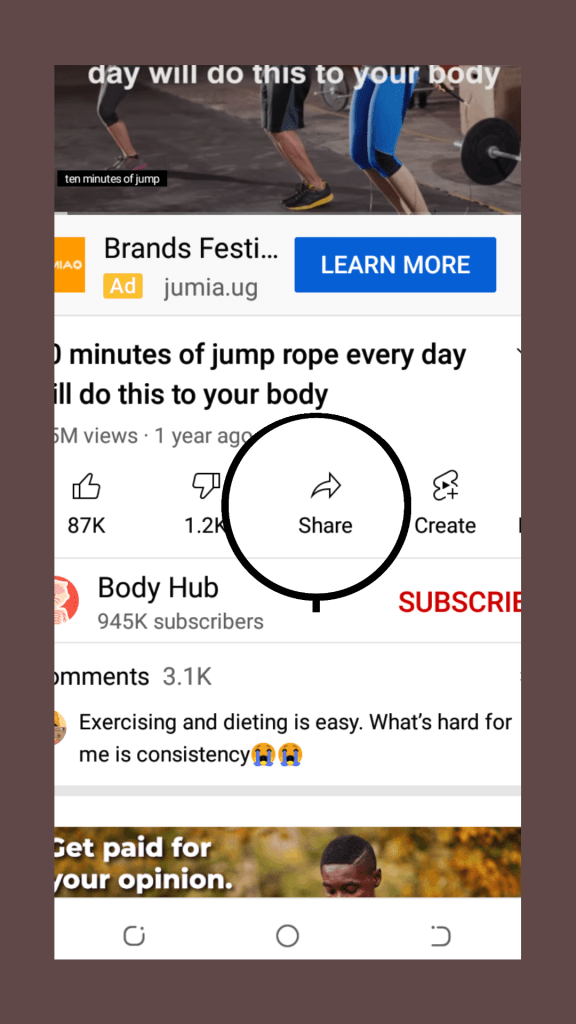
Click “download with snaptube” from the options that appear, and then choose the resolution you want. The better the resolution, the bigger the size. There are also options to download the audio, if you want.
Your audio or video file is now downloading. After it is downloaded, you can now watch your videos using any media player of your choice.
Enjoy!! Come again for more free tips. Of there is anything you would like to know about, please let me know in the comments.
.

 Daily Tech Tips